
Docs · Getting started
Install the Android app
During the beta the Android app is distributed directly from fjell.email as an APK, so you install it once and update it from the same page. Here's the whole flow.
Open the beta page
On your phone, go to fjell.email/beta. It always shows the current version, its size, and the release date.
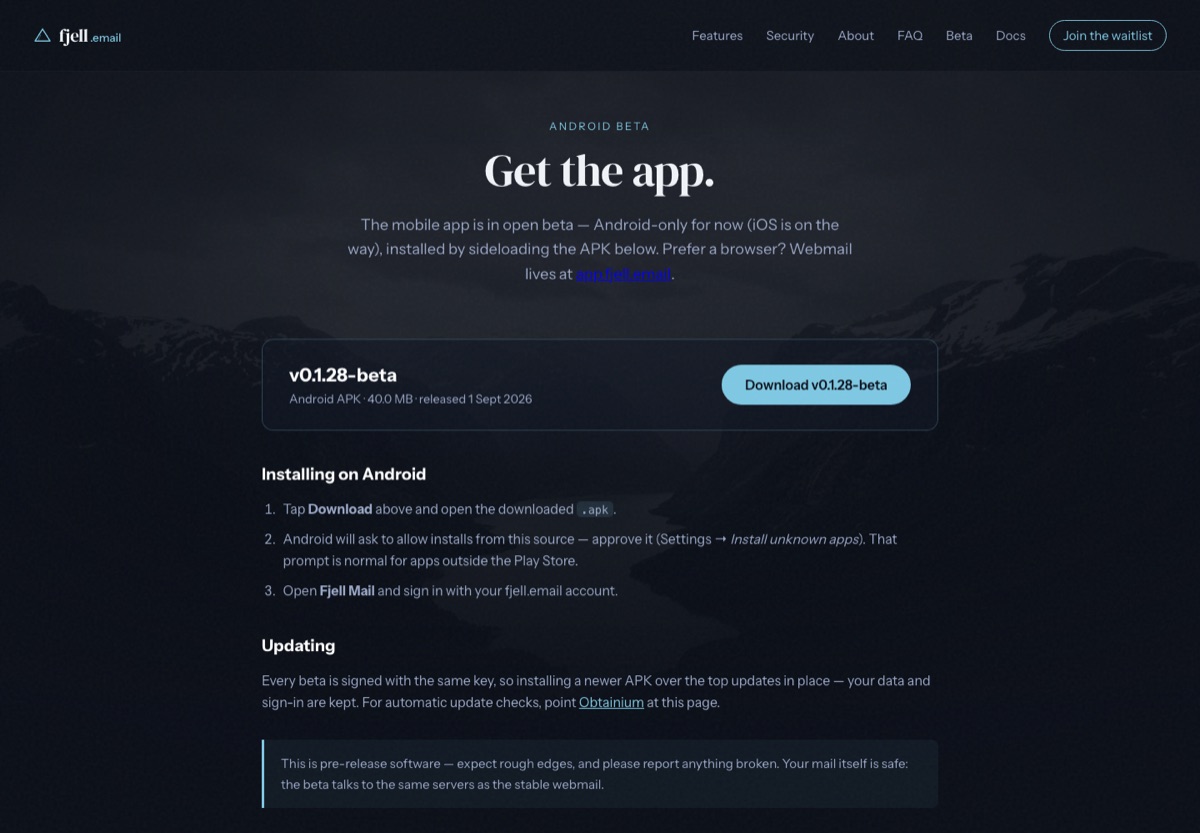
The beta page serves the latest signed APK with its version and date. Download the APK
Tap Download. Your browser saves the
.apkfile to your device — accept the browser's prompt if it asks whether to keep it.Allow the install
Open the downloaded file. The first time, Android asks permission to install apps from your browser: tap through to Settings → Install unknown apps, enable it for your browser, then go back and confirm the install. This is standard for apps outside the Play Store and only needs doing once.
Open Fjell Mail and sign in
Launch Fjell Mail and sign in with your
@fjell.emailaddress and password — the same credentials you set when you created your account. Your mail syncs down over JMAP.Keep it updated
New builds appear on the same beta page. When one is out, download the newer APK and install it over the top — your data and sign-in are kept. For automatic update checks, point Obtainium at the beta page.