
Docs · Getting started
Create your account from an invite
fjell.email is invite-only during the beta. Your invite link is all you need to claim your address and set up your encrypted mailbox — it takes about a minute.
Open your invite link
Click the link from your invite email. It opens fjell.email with the Claim your place form — already unlocked for you, no waitlist.
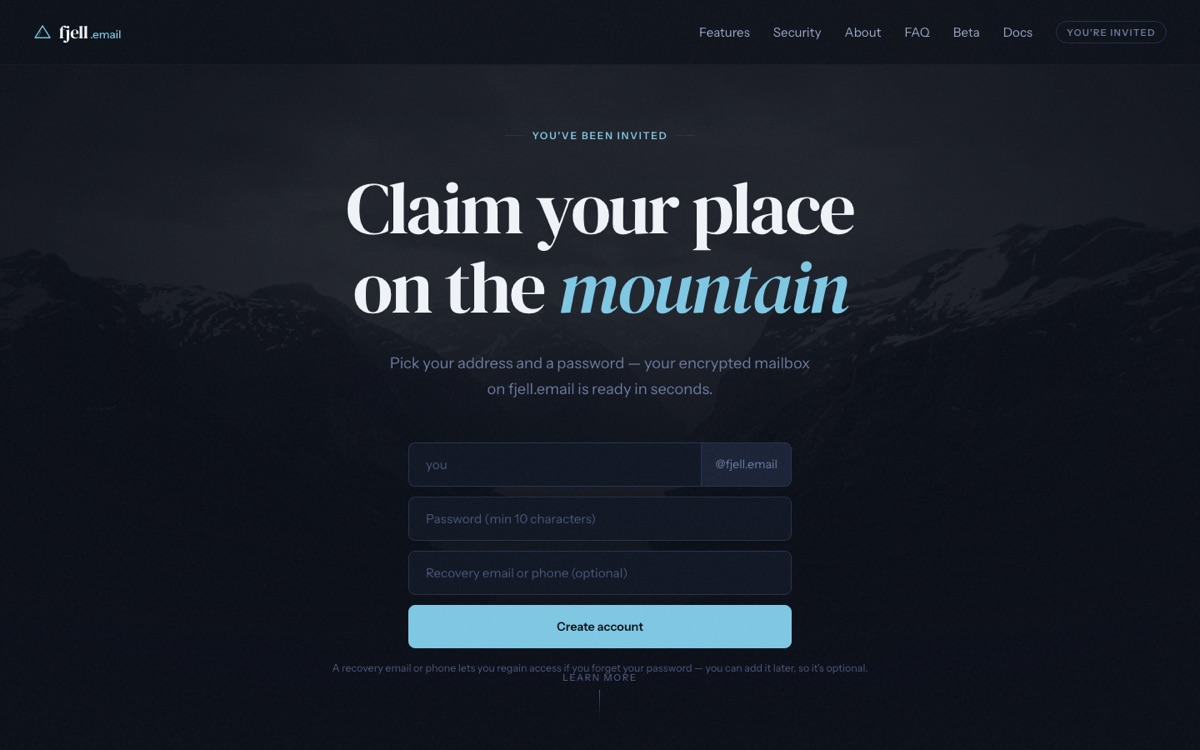
An invite link opens the account form instead of the waitlist. Choose your address
Type the part before the
@— this becomes your address,you@fjell.email. Pick something you'll want to give out; it's permanent for the mailbox.Set a strong password
Your password does double duty: it signs you in and it protects your encryption key. We stretch it with Argon2id to unlock the private key that encrypts and decrypts your mail, so it never leaves your device in a form we can read. Choose a long, unique password and store it in a password manager — if you lose it, only your recovery phrase can get you back in.
Add a recovery email
Give an address we can reach you at if you ever need to recover access. It's used only for account recovery — never for marketing.
Create your account and sign in
Select Create account. Your encrypted mailbox is provisioned in seconds. From there, sign in to webmail at app.fjell.email, or install the Android app and sign in with the same address and password.